Automate your sworn declarations in under a minute
Eliminate the tedious process. Our automated system helps learners sign their SENCE sworn declaration in under a minute. 100% secure and user-friendly.
- Moodle integration
- Pay only for signed declarations
Transparency, privacy, and security in every signature, with TLS 1.2+ encryption and alignment with Chilean Law 19,628, ISO 27001, OWASP, and GDPR
SENCE is a trademark of its respective owner. This solution is provided by Closelly and does not imply an official partnership, certification, or integration with SENCE.

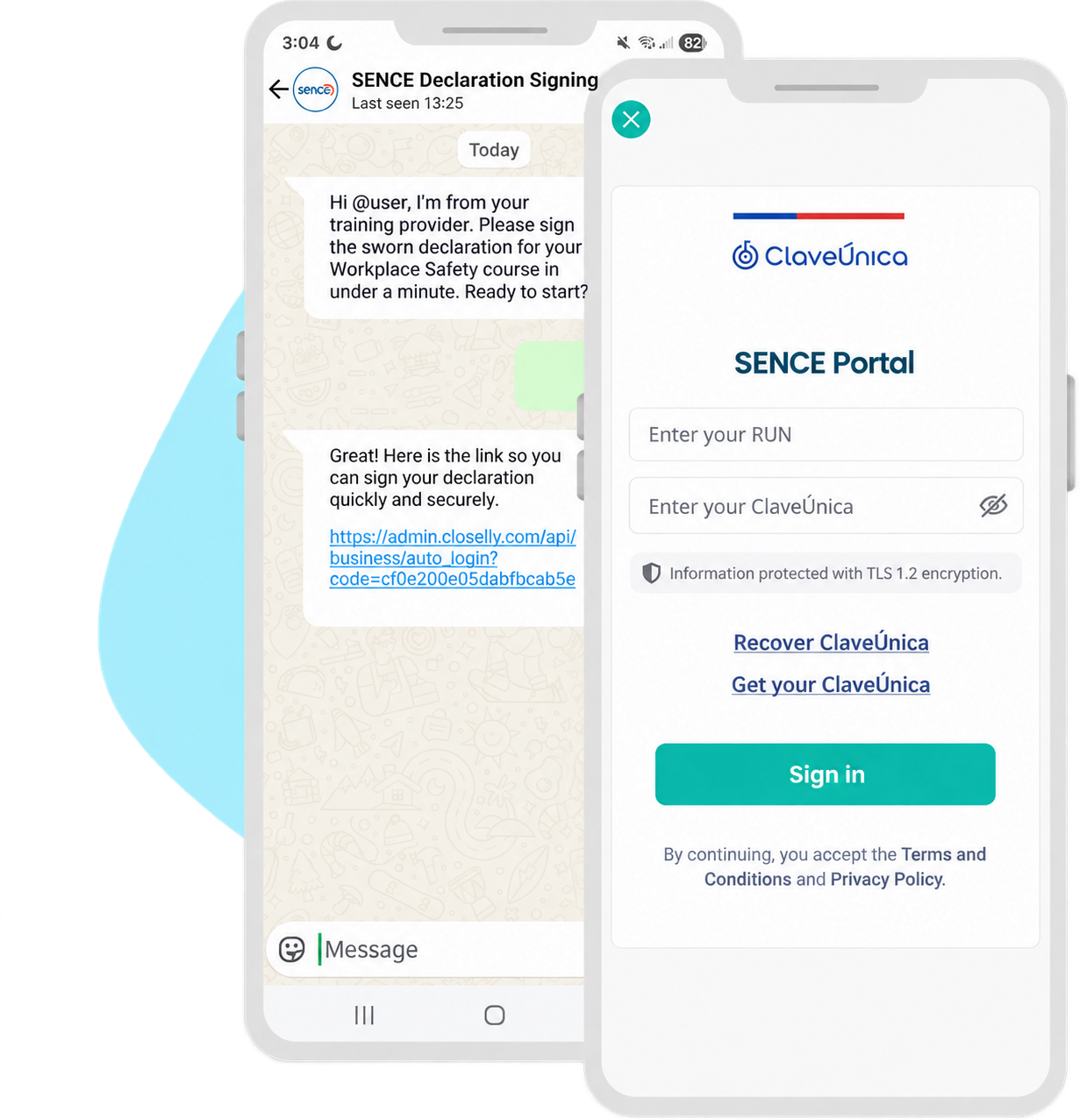
Automate signature requests and reminders for sworn declarations through WhatsApp with LENA
With artificial intelligence, requesting a signature stops being a tedious administrative task and becomes a fast, simple, effective experience. (Optional feature)
If you choose, LENA can start a natural WhatsApp conversation with each learner to share their declaration-signing link. The process becomes fast, secure, and fully automated: automatic reminders, traceability, and simplicity in the channel everyone uses daily.
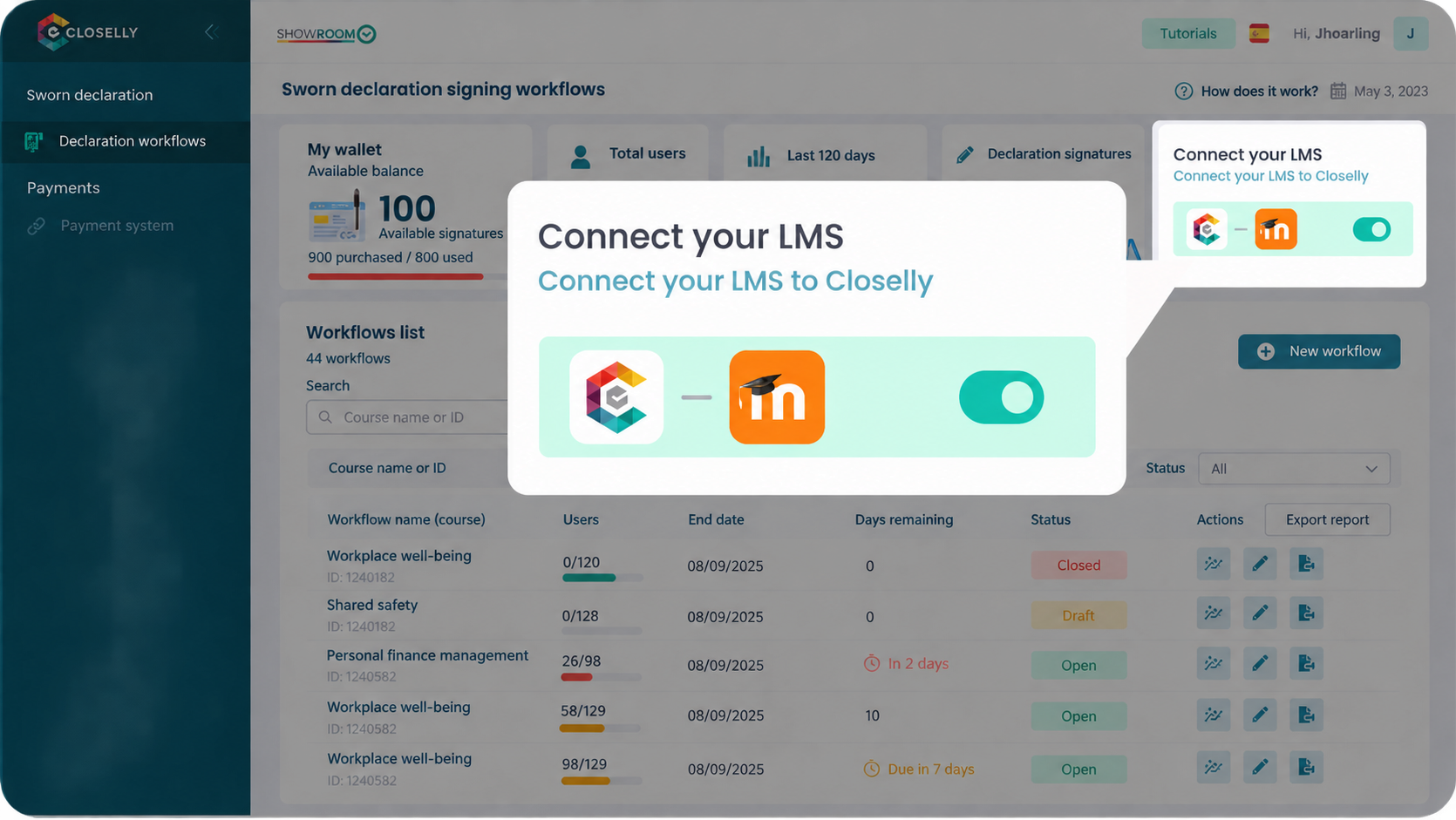
We integrate our system with Moodle, the learning platform most widely used by OTECs.
With Moodle integration, your SENCE courses connect automatically to our platform, making the entire process easier, faster, and more accessible.
- Import your course participant lists in seconds.
- Manage signature progress from one place.
- Synchronize automatic course closure in your Moodle platform.
No more manual work!
The process is this simple
Three simple steps to automate sworn declaration requests for your SENCE courses. With artificial intelligence, without errors or delays.
STEP 1
Create your process in minutes
Create and configure a sworn declaration signing process, upload a participant list or synchronize with Moodle, and our system handles the rest.
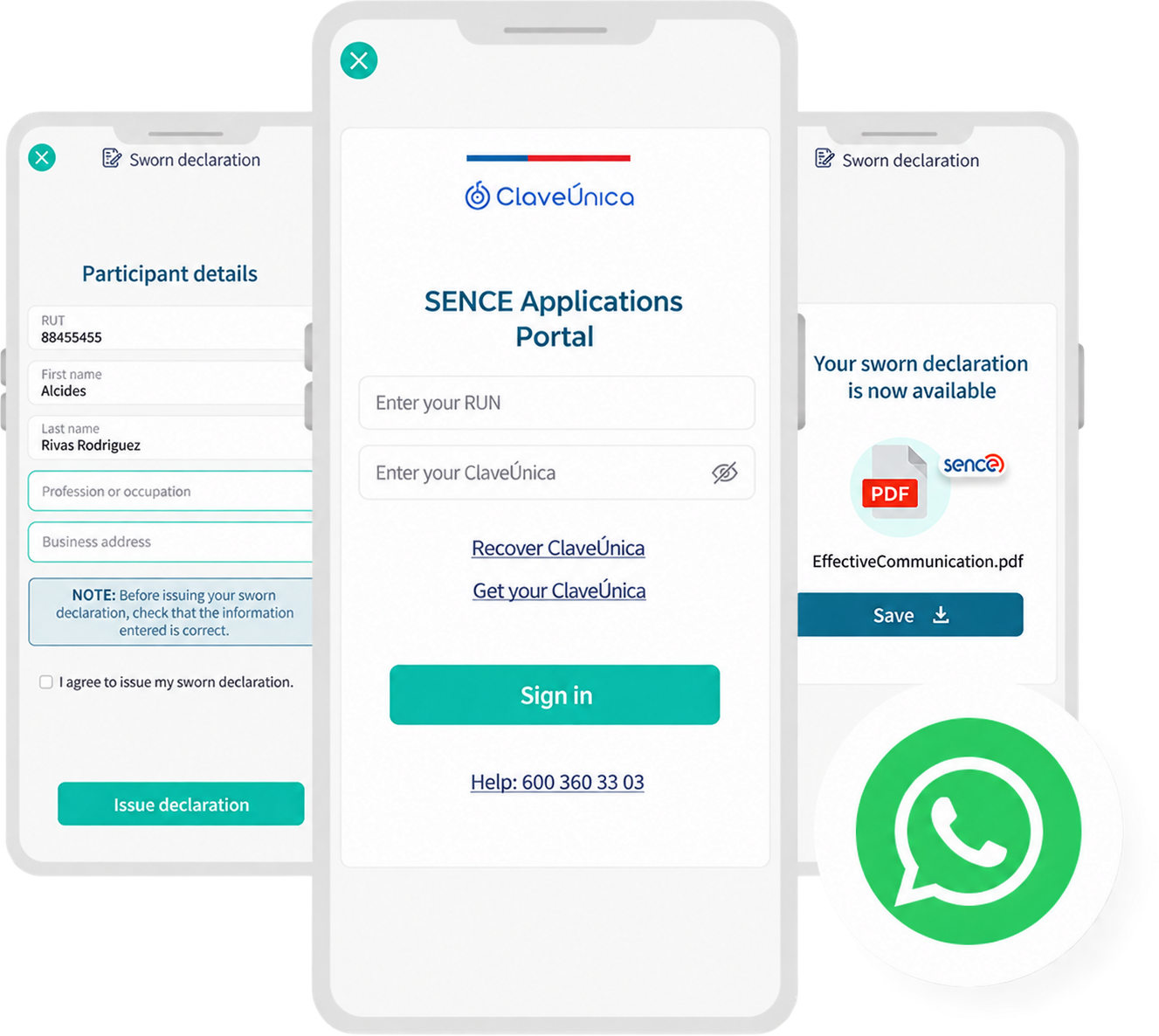
STEP 2
Learners sign the declaration
Each learner opens the link to sign their sworn declaration from WhatsApp or Moodle (a simplified signing link). In just one click, they reach a simple, secure, fast, fully responsive interface. Signed in under a minute!
Bank-level security for every signature: TLS 1.2+ encryption, no credential storage, and alignment with Law 19,628, ISO 27001, OWASP, and GDPR.
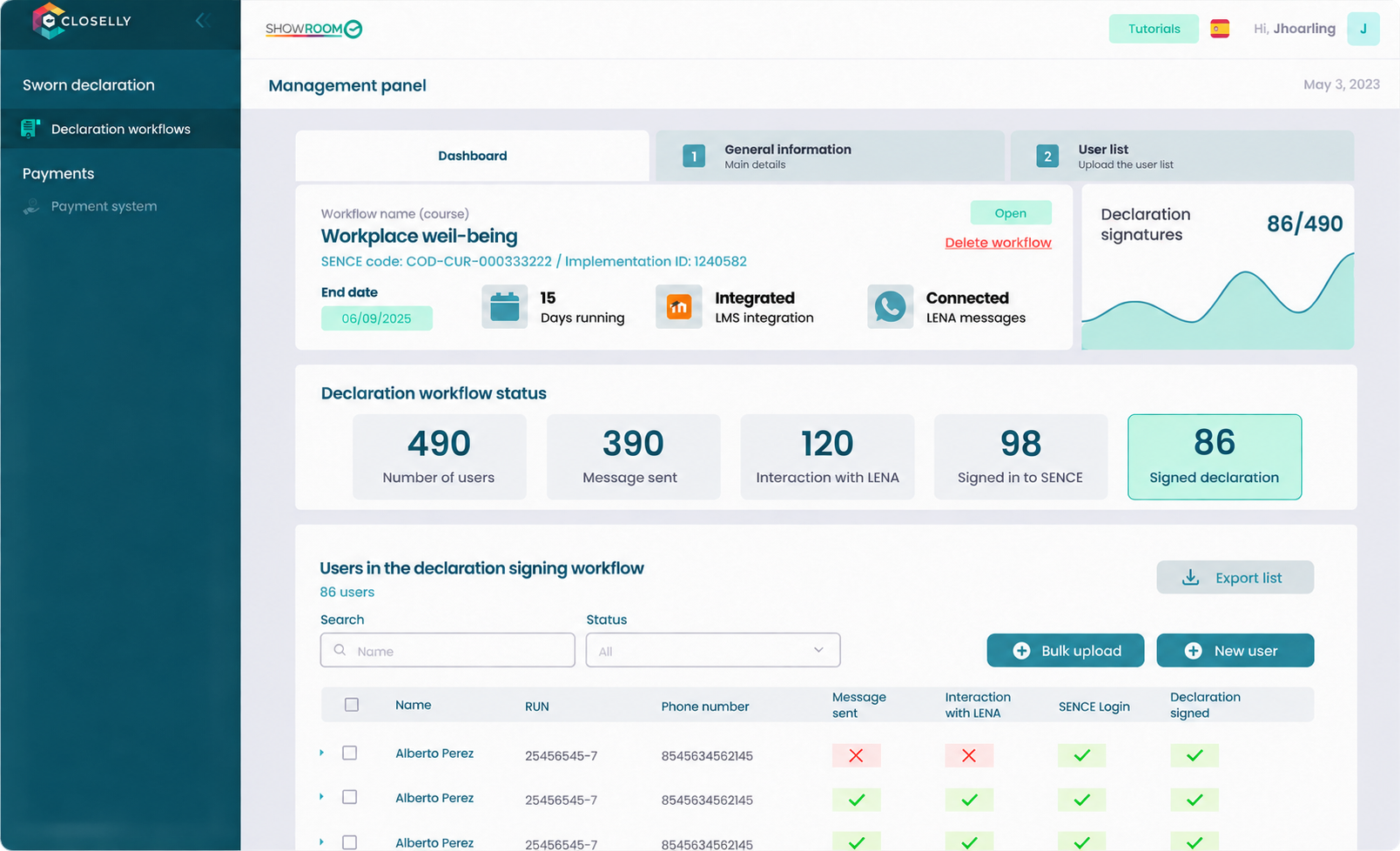
STEP 3
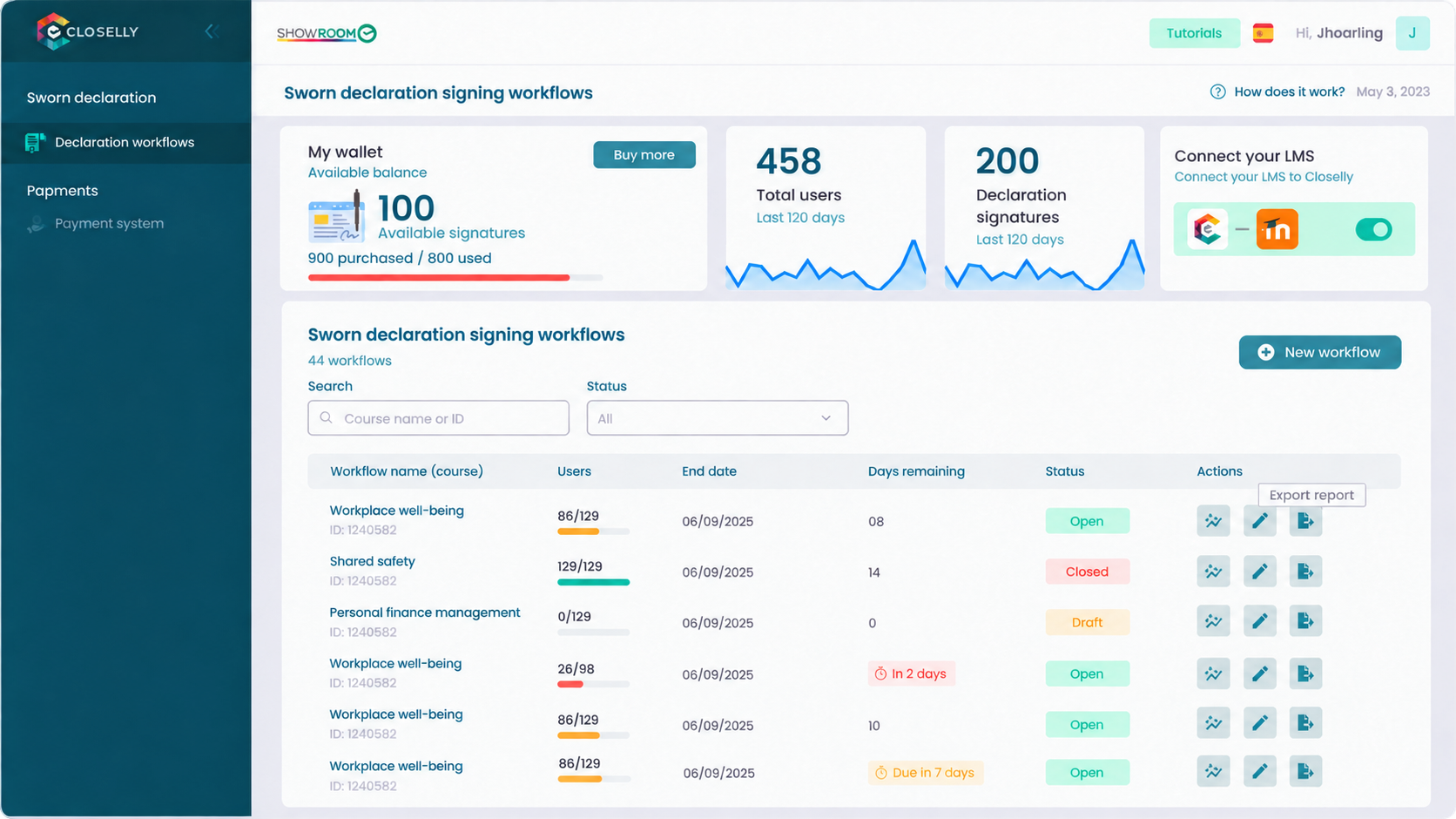
Full control and instant reports
View each signature's status in real time and download a complete, detailed report.
Automatically synchronize and update course closure in your Moodle platform.
Pay only for signed declarations that have been issued.
Try our system completely FREE for five signatures
Discover how AI can transform your sworn declaration signature-request process. Request our free five-signature trial to get started now. What do we offer?
- Fast implementation. Complete setup in under five minutes.
- Learners take less than a minute to issue their sworn declaration through a simple flow.
- Monitor the entire declaration process and generate your report.
- Synchronize with Moodle to add learners and close courses automatically.


SENCE is a trademark of its respective owner. This solution is provided by Closelly and does not imply an official partnership, certification, or integration with SENCE.
SENCE declaration signing
Let's discuss your courses and the volume of signatures you need to manage.
Tell us how you work today, how many courses you manage, and whether you use Moodle. We will show you the available workflow and assess the right approach.
- We review your current course-closing process
- We define the channel, participants, and required report
- We assess Moodle connectivity based on your installation
We do not request learners' Chilean tax IDs, participant lists, credentials, or documents in this form.