Which courses need attention?
“Compare completion across these courses and show me where more learners have not started.”
Get a comparative view and explore further wherever you need.
Insights + MCP
Connect Closelly with a compatible assistant, such as ChatGPT or Claude, and discuss your organization's courses, learners, and progress.
Compare results, identify outstanding work, and prepare follow-up without starting every analysis from scratch.
Example questions
MCP in action
See how to check course progress, explore outstanding work, and prepare a summary for your team through conversation.
Demonstration recreated with fictional data. The recommendations shown do not execute actions automatically.
Description Duration: 60 seconds. Spanish audio and embedded subtitles. Demonstration using fictional data. The main video recreates ChatGPT connected to Closelly through MCP: it is not an actual recording and does not show client data. Fictional courses with completion rates of 80%, 70%, and 38% are compared. In Consultative Selling, 24 of the 62 learners who have not completed the course have not logged in to the platform for 7 days or more: 10 have not started and 14 are in progress. The follow-up plan is a suggestion; the assistant does not carry out actions. The opening and closing screens name ChatGPT, Claude, Gemini CLI, Copilot Studio, and other MCP-compatible AI agents, depending on their capabilities, permissions, and configuration. Transcript Your training. In your ChatGPT. Connect Closelly through MCP and access your organization's authorized data from your own assistant. Ask which course needs attention. In this example, Onboarding reaches eighty percent; Safety, seventy; and Consultative Selling, thirty-eight. ChatGPT turns the data into a clear comparison. Look deeper: twenty-four Consultative Selling learners have not completed the course and have not logged in to the platform for seven days or more. Ten have not started and fourteen are in progress. They account for twenty-four of the sixty-two learners who have not completed the course. Prepare the follow-up: contact these learners, review their barriers, and measure again in a week. The data guides you; you decide. Closelly, connected to ChatGPT and other MCP-compatible assistants. Your training data, in your conversation. Request a demo.
Practical examples
“Compare completion across these courses and show me where more learners have not started.”
Get a comparative view and explore further wherever you need.
“In this course, which learners have not started and which are still in progress?”
Distinguish different situations to prepare more relevant follow-up, according to the available data and permissions.
“Summarize the state of training and highlight outstanding items we should review.”
Turn the queried information into a clear summary to discuss with your team.
AI INSIGHTS · WITHIN CLOSELLY
Analyze progress, results, and learning difficulties from the back office, with dashboards and AI-assisted interpretation.
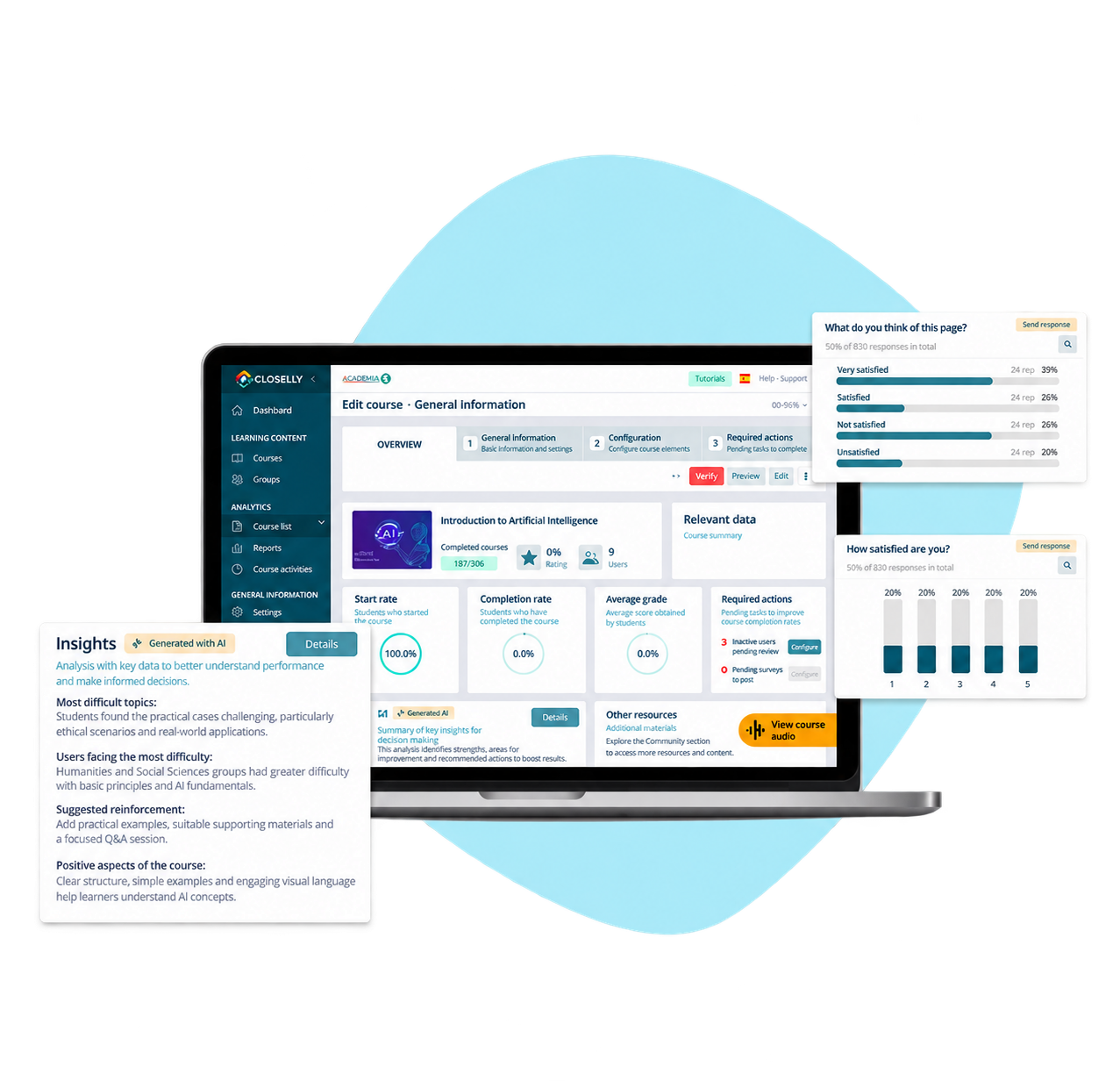
Recognize topics and questions that need reinforcement.
Review participation, progress, and results by course.
Look more closely at questions asked of LENA, according to the enabled modules and permissions.
A PRACTICAL EXAMPLE
Review available results and recurring questions to identify content worth reinforcing. AI helps organize the analysis; the team validates the conclusions.
Analyze with dashboards and AI-assisted interpretation.
Ask questions, compare information, and prepare analyses with authorized Closelly tools and data.
Two complementary ways to use your data. The MCP connection has its own scope and does not automatically include all Insights features.
Access and control
The connection uses an authorized account and queries the information enabled for its organization. Available tools and access to personal data or exports depend on the corresponding permissions.
Before making decisions, you can review the period, filters, and scope of the information used.
Bring a specific case. We will show you how to approach it with MCP and what you can analyze within Closelly using Insights.